CSV Import
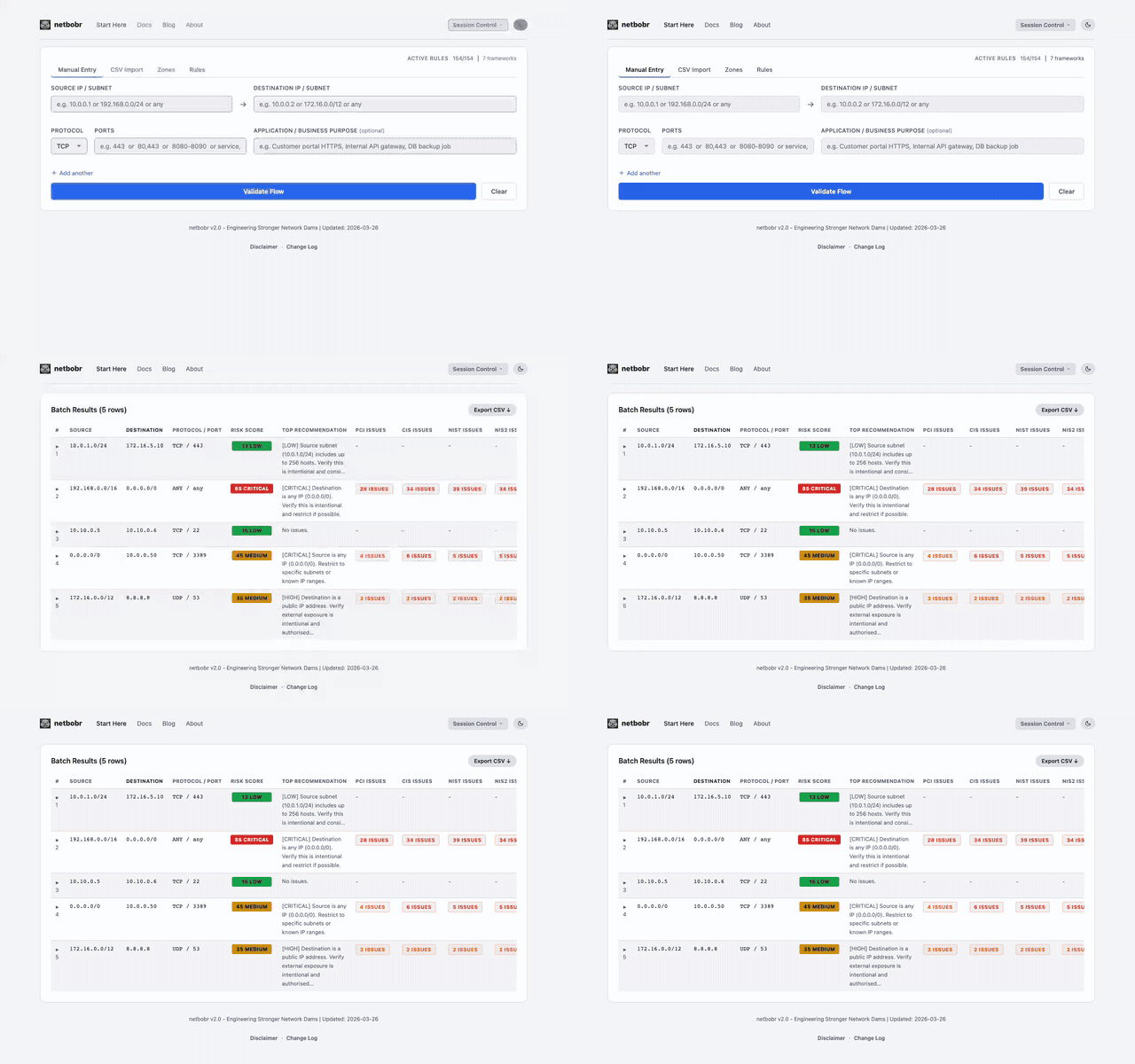
The CSV Import tab lets you bulk-validate up to 500 firewall rules at once by uploading a CSV file.
CSV format
Your CSV file must contain the following columns:
| Column | Required | Description | Example |
|---|---|---|---|
source | Yes | Source IP or CIDR subnet | 10.0.0.0/8 |
destination | Yes | Destination IP or CIDR subnet | 8.8.8.8 |
protocol | Yes | TCP, UDP, ICMP, or ANY | TCP |
port | Yes | Port number, range, or any | 443 |
app_name | No | Business justification / application name | Web proxy egress |
Example CSV:
source,destination,protocol,port,app_name
10.0.1.0/24,172.16.5.10,TCP,443,Payment gateway HTTPS
192.168.0.0/16,0.0.0.0/0,ANY,any,Default outbound
10.10.0.5,10.10.0.6,TCP,22,Admin SSH access
Uploading
- Drag and drop a CSV file onto the upload area, or click to browse for a file.
- A template CSV is available for download from the import tab - use it to ensure your columns are formatted correctly.
- Maximum of 500 rows per import.
Results table
After validation completes, results appear in a sortable table with the following columns:
| Column | Description |
|---|---|
| Source | Source IP/subnet from the CSV |
| Destination | Destination IP/subnet from the CSV |
| Protocol | Protocol from the CSV |
| Port | Port(s) from the CSV |
| Risk Score | Composite risk score (0-100) with severity label |
| Zones | Source and destination zone assignments (if zones are configured) |
| PCI-DSS | Issue count for PCI-DSS v4.0.1 |
| CIS | Issue count for CIS Controls v8 |
| NIST | Issue count for NIST 800-53 |
| NIS2 | Issue count for NIS2 |
| DORA | Issue count for DORA |
| MITRE | Issue count for MITRE ATT&CK |
Click any column header to sort. Large result sets are paginated automatically.
Exporting results
Click Export CSV to download the validated results as a CSV file. The export includes all columns from the results table - risk scores, zone assignments, and per-framework issue counts - ready for review in a spreadsheet or import into a ticketing system.