Manual Validation
The Manual Entry tab lets you validate individual network flows against all enabled compliance frameworks and receive a composite risk score with per-framework findings.
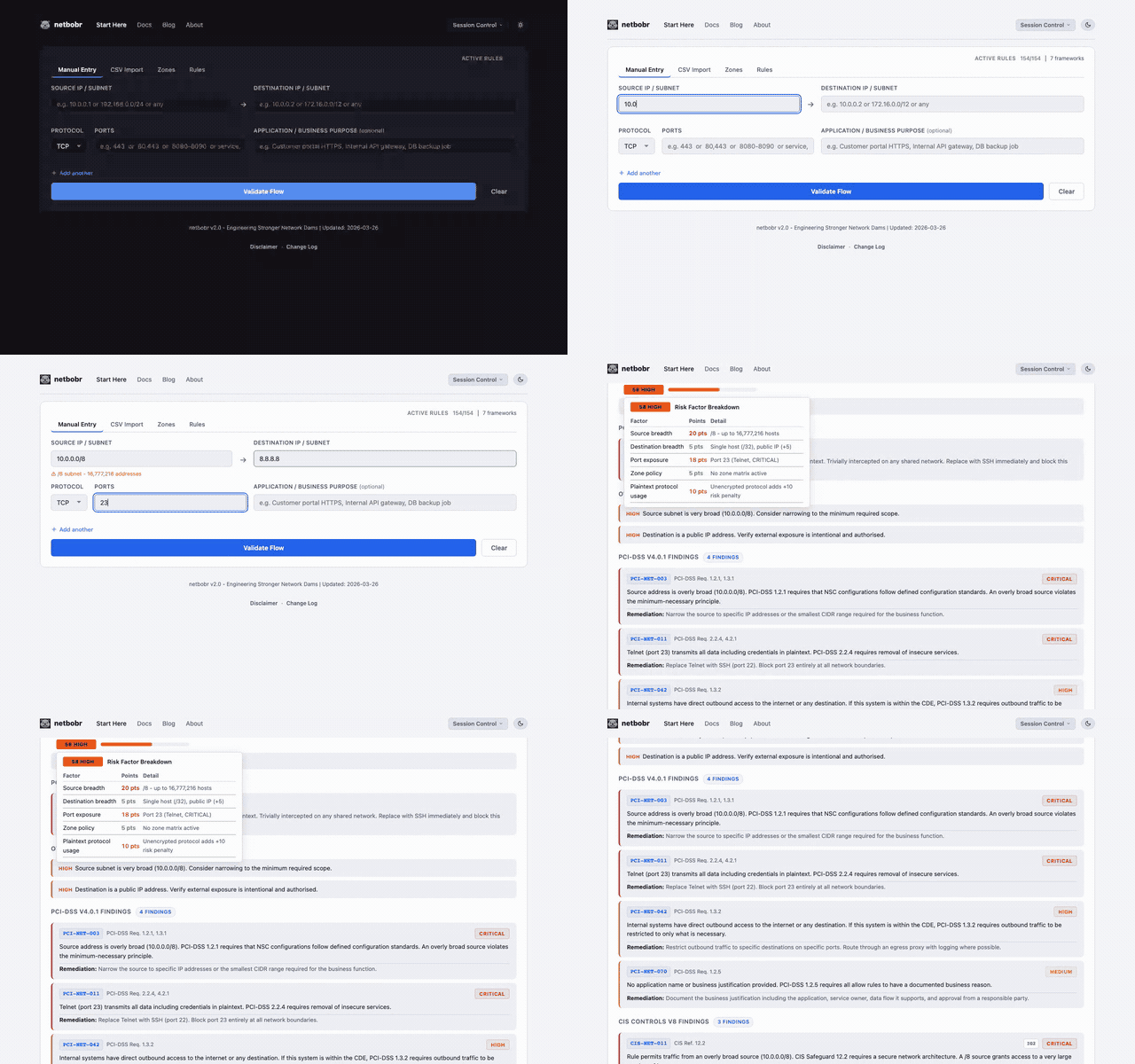
Entering a flow
Fill in the following fields:
| Field | Format | Examples |
|---|---|---|
| Source IP/Subnet | Single IP or CIDR | 192.168.1.1, 10.0.0.0/24 |
| Destination IP/Subnet | Single IP or CIDR | 8.8.8.8, 172.16.0.0/16 |
| Protocol | Dropdown | TCP, UDP, ICMP, ANY |
| Port(s) | See below | 443, 8080-8090, 80,443,8080, any |
| Application/Business Purpose | Free text | Web server HTTPS traffic |
The Application/Business Purpose field is optional but recommended - it documents why the flow exists and appears in exported results.
Port field formats
The port field accepts several input formats:
- Single port -
443 - Port range -
8080-8090 - Comma-separated -
80,443,8080 - Any/all - type
anyorallto match all ports
When ICMP is selected as the protocol, the port field is replaced with ICMP type checkboxes (echo request, echo reply, destination unreachable, and others).
Service name autocomplete
Typing a service name in the port field triggers autocomplete from a database of 217 known services. For example, typing SSH auto-fills port 22 and sets the protocol to TCP. See Service Autocomplete for details.
Multiple flows
Click Add another to queue up to 10 flows for simultaneous validation. Each flow is validated independently and results appear in a scrollable list.
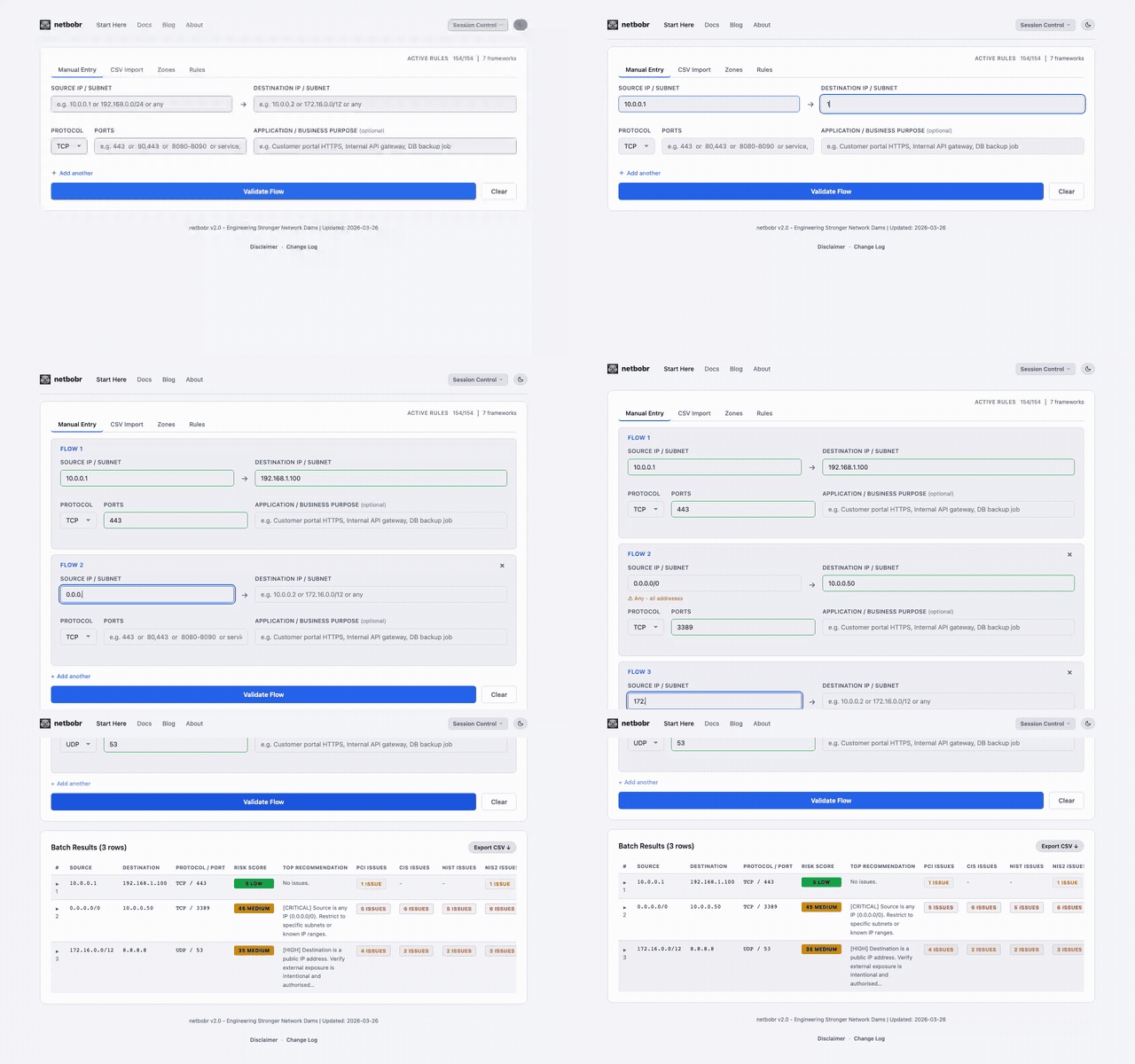
Reading the results
Each validated flow displays a risk score (0-100) with a color-coded severity label:
- (0-29) - No significant compliance issues.Low
- (30-59) - Partial compliance match. Investigate before approving.Medium
- (60-79) - Compliance violations detected. Remediate.High
- (80-100) - Severe risk. Block or remediate immediately.Critical
Zone badges
When zones are configured, source and destination fields display zone badges indicating which zone each IP belongs to. The zone-to-zone policy contributes to the overall risk score.