Manual Validation
The Manual Entry tab lets you validate individual network flows against all enabled compliance frameworks and receive a composite risk score with per-framework findings.
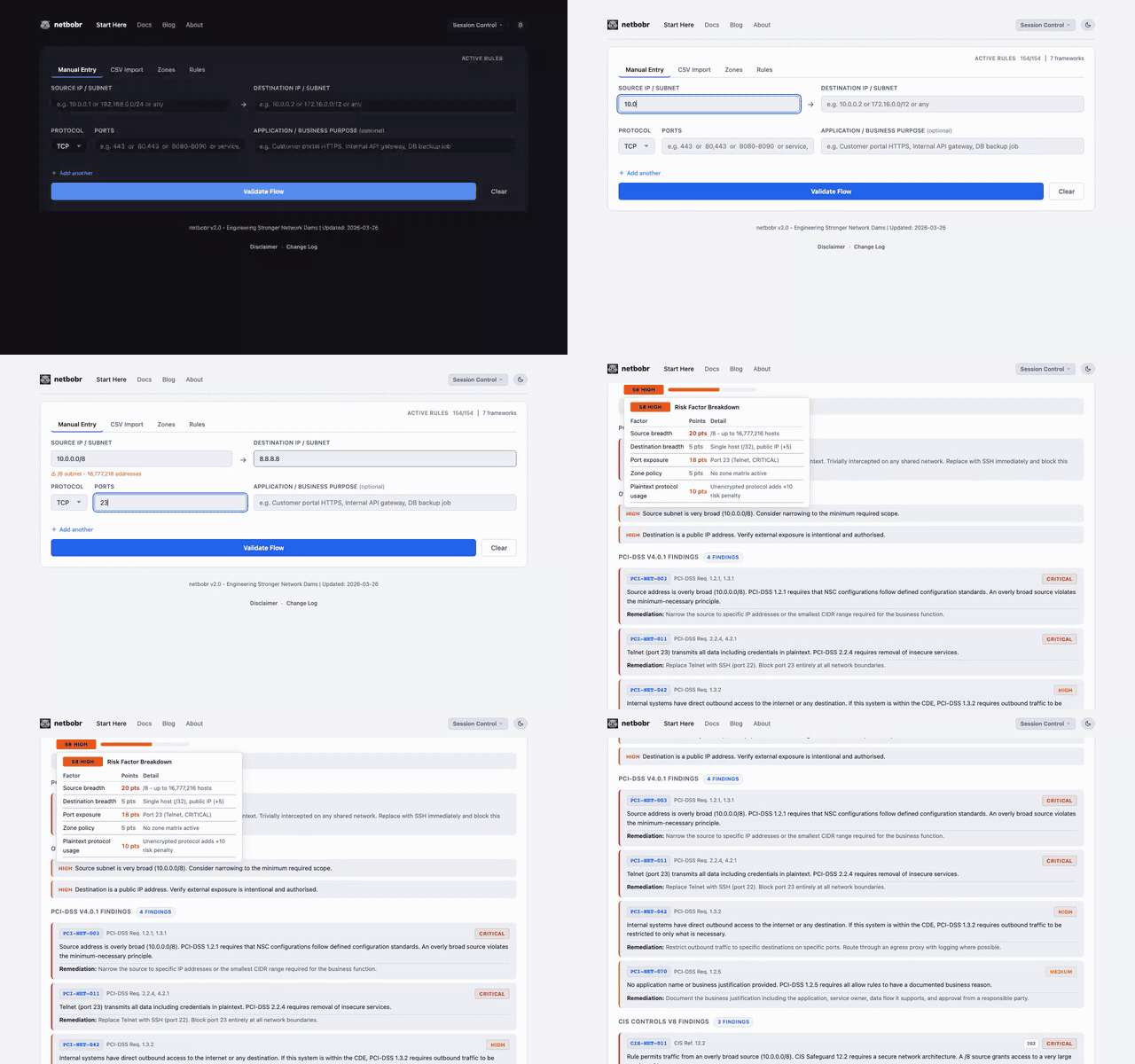
Entering a flow
Fill in the following fields:
| Field | Format | Examples |
|---|---|---|
| Source IP/Subnet | Single IP or CIDR | 192.168.1.1, 10.0.0.0/24 |
| Destination IP/Subnet | Single IP or CIDR | 8.8.8.8, 172.16.0.0/16 |
| Protocol | Dropdown | TCP, UDP, ICMP, ANY |
| Port(s) | See below | 443, 8080-8090, 80,443,8080, any |
| Application/Business Purpose | Free text | Web server HTTPS traffic |
The Application/Business Purpose field is optional but recommended - it documents why the flow exists. It is printed in the single-flow PDF report (Export PDF) and kept in saved session files; it is not part of the CSV export. When NIS2 or DORA is enabled, leaving it empty raises NIS2-NET-039 / DORA-NET-038 (no business justification).
Port field formats
The port field accepts several input formats:
- Single port -
443 - Port range -
8080-8090 - Comma-separated -
80,443,8080 - Any/all - type
anyorallto match all ports
When ICMP is selected as the protocol, the port field is replaced with ICMP type checkboxes (echo request, echo reply, destination unreachable, and others).
Service name autocomplete
Typing a service name in the port field (for example SSH) lists matching services from the built-in service database. Selecting one from the dropdown fills in its port and protocol. See Service Autocomplete for matching details.
Multiple flows
Click Add another to add up to 20 flows and validate them together. A single flow is shown as a detailed result card. Two or more flows are shown in the sortable results table (the same table Batch Import uses): click a column header to sort and click a row to expand its full findings. Export CSV downloads the table; Export PDF is available only when one flow is validated.
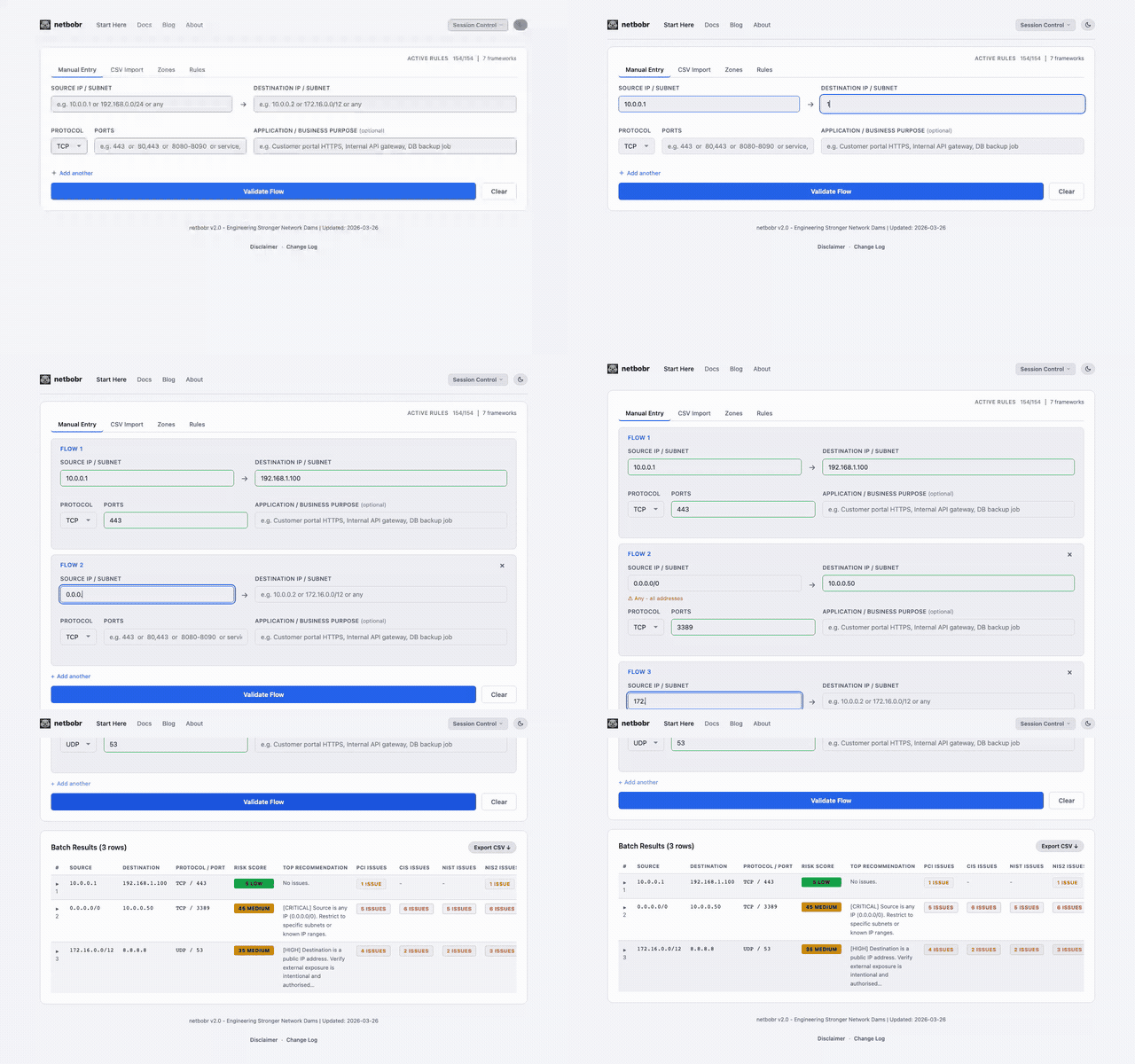
Reading the results
Each validated flow displays a risk score (0-100) with a color-coded severity label:
- (0-25) - Tightly scoped; little structural exposure.Low
- (26-50) - Moderate exposure. Review before approving.Medium
- (51-75) - Broad or high-risk exposure. Narrow the rule or document why it is needed.High
- (76-100) - Severe exposure. Block or remediate immediately.Critical
The score measures structural exposure (source breadth, destination breadth, port exposure, zone policy); framework findings are listed separately and do not change it. On the single-flow result card, hover over the score badge or Tab to it and press Enter to open a per-factor breakdown; in the results table, hover over the score. See Thresholds.
Zone badges
When zones are configured, source and destination fields display zone badges indicating which zone each IP belongs to. The zone-to-zone policy contributes to the overall risk score.