Service Autocomplete
netbobr includes a built-in database of 217 known network services that powers autocomplete in any port field throughout the application.
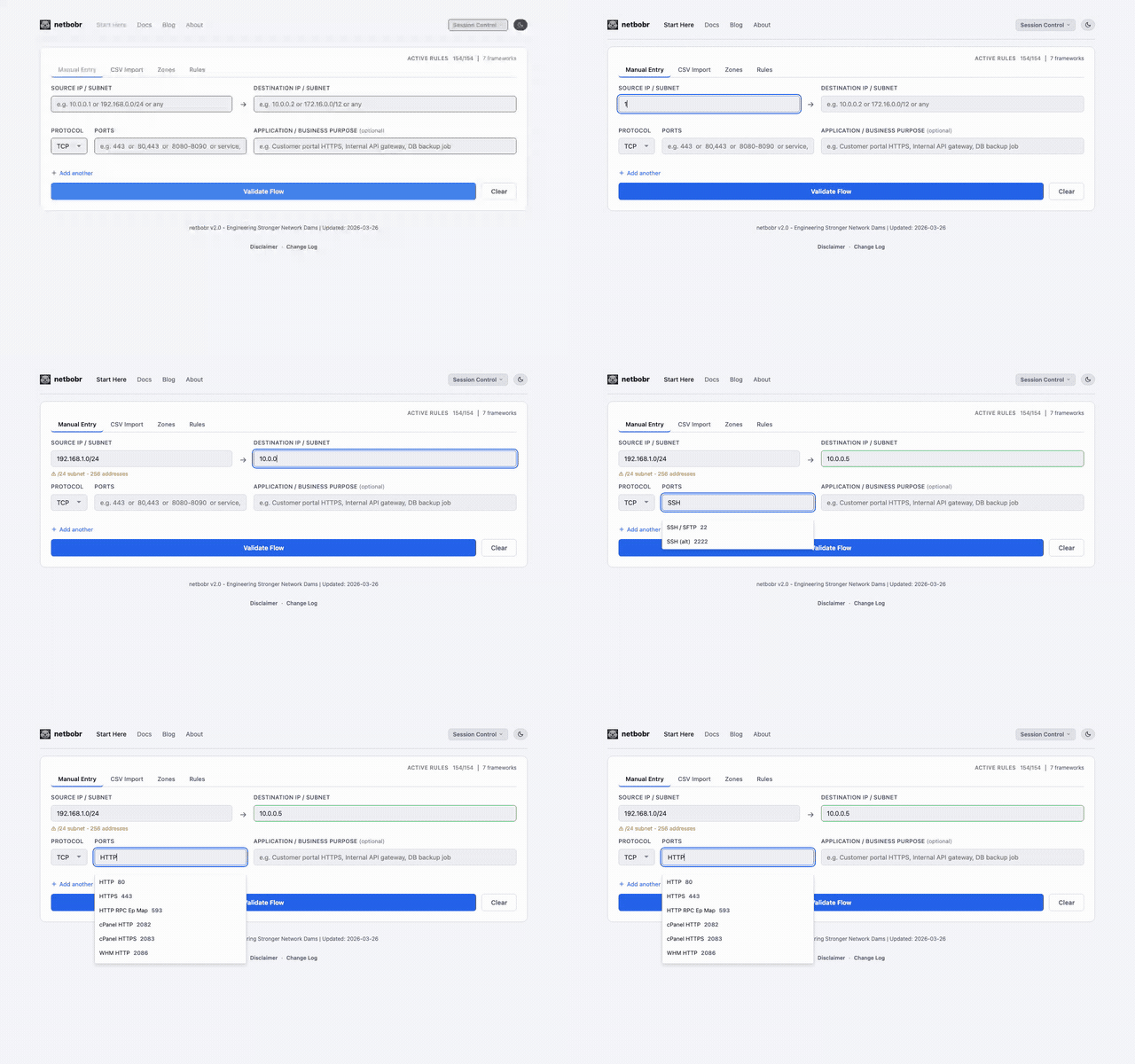
How it works
- Start typing a service name in any port field (Manual Entry tab or CSV port column).
- Autocomplete suggestions appear as you type, showing the service name, port number, and protocol.
- Select a service to auto-fill the port number and set the protocol (TCP or UDP) automatically.
Fuzzy matching
Autocomplete uses fuzzy matching, so partial or abbreviated names work:
| You type | Matches |
|---|---|
SSH | SSH (22/TCP) |
HTTPS | HTTPS (443/TCP) |
SQL | MSSQL (1433/TCP), MySQL (3306/TCP), PostgreSQL (5432/TCP) |
DNS | DNS (53/UDP), DNS-TCP (53/TCP) |
RDP | RDP (3389/TCP) |
Risk levels and advisories
Each service in the database has an associated risk level and advisory text:
| Risk Level | Meaning | Examples |
|---|---|---|
| LOW | Generally safe, commonly allowed | HTTPS (443), DNS (53) |
| MEDIUM | Acceptable in controlled environments | SSH (22), SMTP (25) |
| HIGH | Should be restricted or monitored | RDP (3389), FTP (21) |
| CRITICAL | Rarely appropriate in production | Telnet (23), TFTP (69) |
The risk level is displayed in the autocomplete dropdown and contributes to the Port Exposure factor of the risk score.
Numeric passthrough
If you type a port number directly (e.g., 443 or 8080), the field accepts it as-is without triggering autocomplete. This lets you enter custom or non-standard ports that are not in the service database.