Quick Start
netbobr is a browser-based firewall rule risk validator. Enter a network flow (source, destination, protocol, port) and netbobr evaluates it against seven rule sets - built-in structural rules, PCI-DSS v4.0.1, CIS Controls v8, NIST 800-53, NIS2, DORA, and MITRE ATT&CK - returning a composite risk score and per-framework findings. Everything runs locally in your browser with zero data collection.
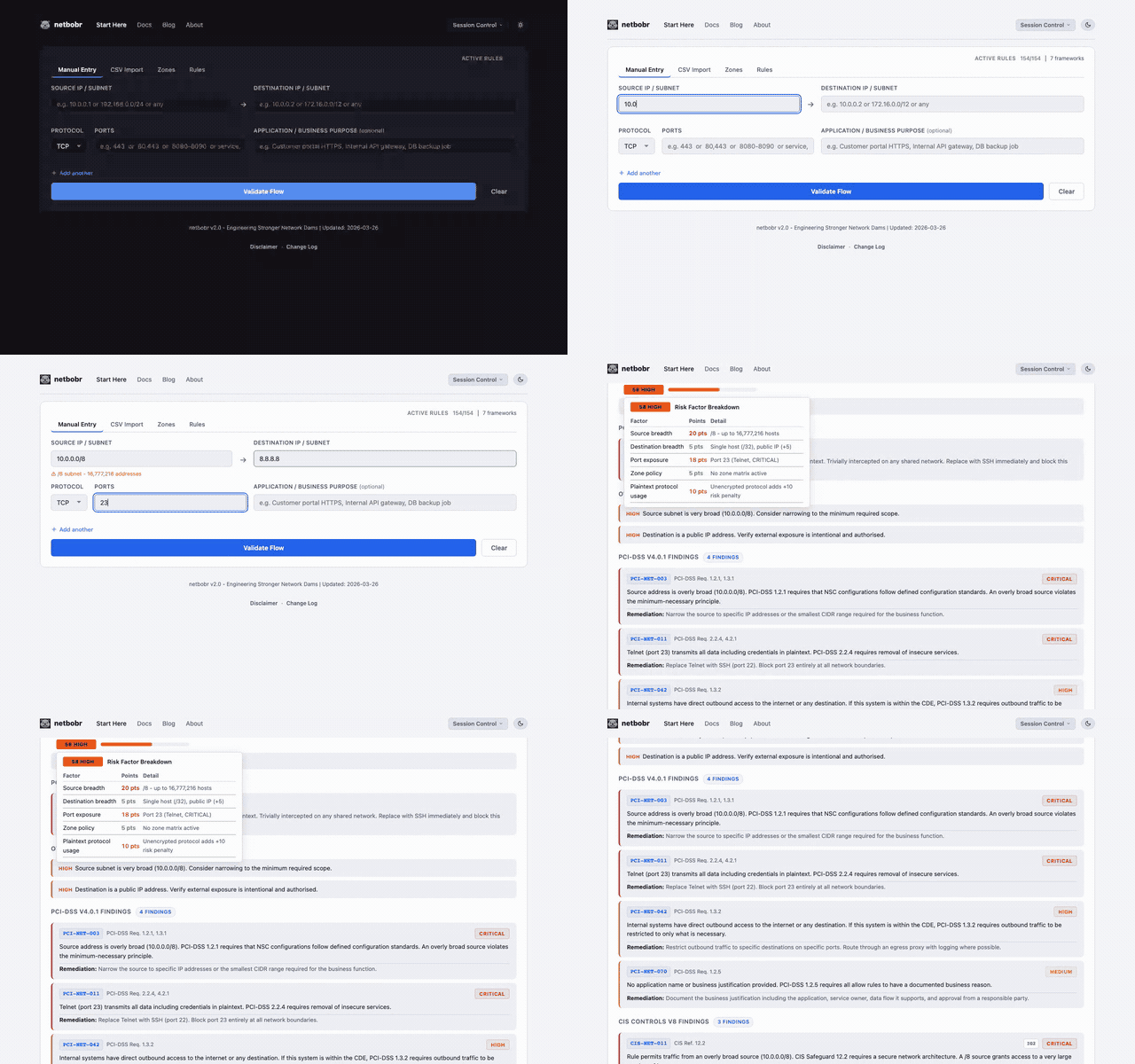
Step 1: Enter a flow
Fill in the four fields on the Manual Entry tab:
| Field | Example | Notes |
|---|---|---|
| Source IP | 10.0.0.0/8 | Single IP or CIDR notation |
| Destination IP | 8.8.8.8 | Single IP or CIDR notation |
| Protocol | TCP | TCP, UDP, ICMP, or ANY |
| Port | 443 | Destination port number |
Step 2: Validate
Click Validate Flow. netbobr runs the flow against every enabled framework rule and calculates a composite risk score.
Step 3: Read the results
Each validated flow displays two pieces of information:
- Risk score - a number from 0 (no risk) to 100 (critical risk) with a color-coded severity label:
- (0-29) No significant compliance issues.Low
- (30-59) Partial compliance match - investigate before approving.Medium
- (60-79) Compliance violations detected - remediate.High
- (80-100) Severe risk - block or remediate immediately.Critical
- Compliance findings - grouped by framework, showing which rules matched and why.
Step 4: Explore the risk breakdown
Click the risk score badge to expand a per-factor breakdown. The composite score is built from four weighted factors: protocol risk, port risk, destination risk, and compliance penalty. See Risk Scoring for full details on weights and customization.
Batch entry
You can add up to 10 flows at once on the Manual Entry tab. Each flow is validated independently and results appear in a scrollable list.
Next steps
- CSV Import - bulk-validate up to 500 rules from a spreadsheet
- Zone Management - define security zones and zone-to-zone traffic policies