Quick Start
netbobr is a browser-based firewall rule risk validator. Enter a network flow (source, destination, protocol, port) and netbobr evaluates it against seven rule sets - built-in structural rules, PCI-DSS v4.0.1, CIS Controls v8, NIST 800-53, NIS2, DORA, and MITRE ATT&CK - returning a composite risk score and per-framework findings. Everything runs locally in your browser with zero data collection.
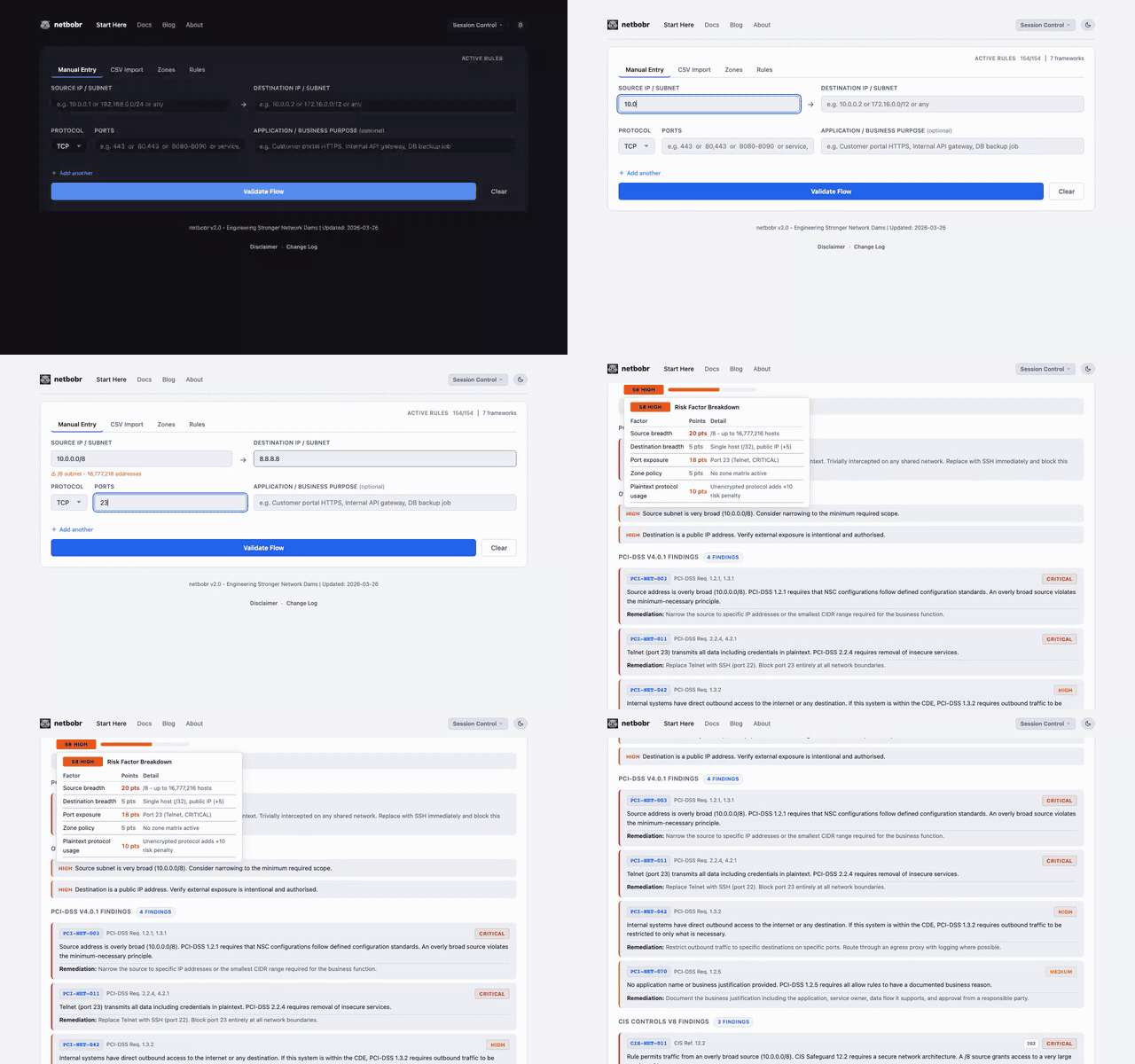
Step 1: Enter a flow
Fill in the four fields on the Manual Entry tab:
| Field | Example | Notes |
|---|---|---|
| Source IP | 10.0.0.0/8 | Single IP or CIDR notation |
| Destination IP | 8.8.8.8 | Single IP or CIDR notation |
| Protocol | TCP | TCP, UDP, ICMP, or ANY |
| Port | 443 | Destination port number |
Step 2: Validate
Click Validate Flow. netbobr runs the flow against every enabled framework rule and calculates a composite risk score.
Step 3: Read the results
Each validated flow displays two pieces of information:
- Risk score - a number from 0 (no risk) to 100 (critical risk) with a color-coded severity label:
- (0-25) Tightly scoped; little structural exposure.Low
- (26-50) Moderate exposure. Review before approving.Medium
- (51-75) Broad or high-risk exposure. Narrow the rule or document why it is needed.High
- (76-100) Severe exposure. Block or remediate immediately.Critical
- Compliance findings - grouped by framework, showing which rules matched and why.
Step 4: Explore the risk breakdown
Hover over the risk score badge - or Tab to it and press Enter - to open a per-factor breakdown overlay. The composite score is built from four weighted factors: source breadth, destination breadth, port exposure, and zone policy. See Risk Scoring for full details on each factor, floors, and thresholds.
Multiple flows
You can add up to 20 flows on the Manual Entry tab. A single flow is shown as a result card; two or more flows appear in a sortable results table - click a row to expand its findings.
Next steps
- Batch Import - bulk-validate up to 500 rules from CSV or cloud configs
- Zone Management - define security zones and zone-to-zone traffic policies